News Banner
When your CommTrak Administrator has created news items, they are displayed over the CommTrak Information Bar:
News items can be added and modified in Settings > General Settings > News

Multiple News Headlines
When there are multiple news items to display on the same day, the headlines are rotated at 5 second intervals.
Each news item is represented by a dot, rightmost in the news banner:
- Clicking a dot will display the associated news item
- Pressing the left / right chevron rotates through the news items
- Pressing the x icon, dismisses the news banner
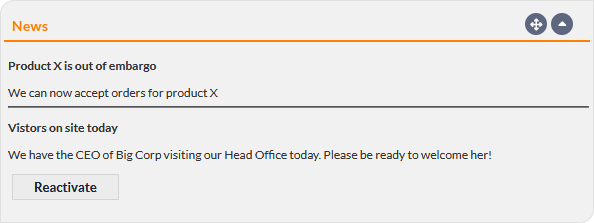
If the news banner has been dismissed, news items are still visible in the News Summary Panel, and the news banner can be reactivated by pressing the Reactivate button: