
Inventory Overview
The Inventory module is a stock-tracking system accessed via the Inventory option in the CommTrak main menu.
A comprehensive video of Inventory module features is available in the videos section of the Support Centre.
Inventory features include:
- Creating stock orders
- Tracking and managing stock location
- Modifying and deleting stock
- Dispatching items from stock
- Creating and managing customer orders
- Stock reservation from Leads
- Low quantity warnings
All stock activity is recorded for auditing purposes, and can be reviewed via the CommTrak Reports module.
Inventory Configuration
Prior to use, the Inventory module must be configured.
Please see the Inventory Settings section of the user guide for information relating to the configuration of the Inventory module.
Inventory Screen
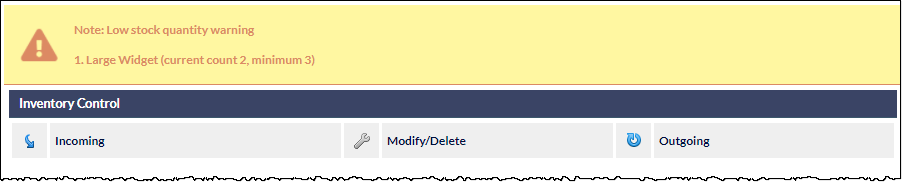
When viewing the Inventory screen, via the main navigation pane, low stock-quantity warnings (if any) are visible in a panel at the top of the screen.
Below the low stock-quantity warnings (if any), the following options are presented as clickable links in the Inventory Control section:
The above options are presented at the top of all the Inventory screens.