Email Marketing Miscellaneous (Settings)
IMPORTANT: Using the Email Marketing module can incur charges from Mailchimp. Please ensure that you understand Mailchimp's pricing model prior to using CommTrak's Email Marketing module.
CommTrak Email Marketing utilises the MailChimp API to send and track campaigns.
Prior to using CommTrak's email marketing module, you must create a Mailchimp account, and obtain a Mailchimp API key.
Locating your MailChimp API Key
At the time of writing, the following article on the MailChimp website explains how to generate and locate your unique API key: https://mailchimp.com/help/about-api-keys/#Find_or_Generate_Your_API_Key
IMPORTANT: Your MailChimp API key is equivalent to a password to access your MailChimp account; do not share it with anyone who should not have access to your MailChimp account.
Accessing Email Marketing Miscellaneous Settings
Settings > Email Marketing Settings > Miscellaneous
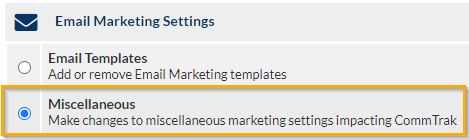
Add the Mailchimp API Key
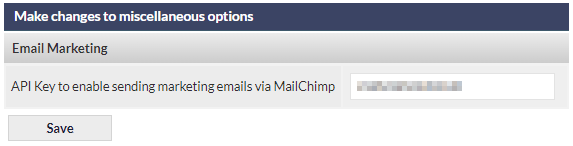
- Copy and paste the Mailchimp API key into the API Key to enable sending marketing emails via MailChimp field, and click .
Delete the Mailchimp API Key
- Delete the API key from the API Key to enable sending marketing emails via MailChimp field, and click .